Mobile Poker Apps: Connection and Battery Risks That Cost You Hands
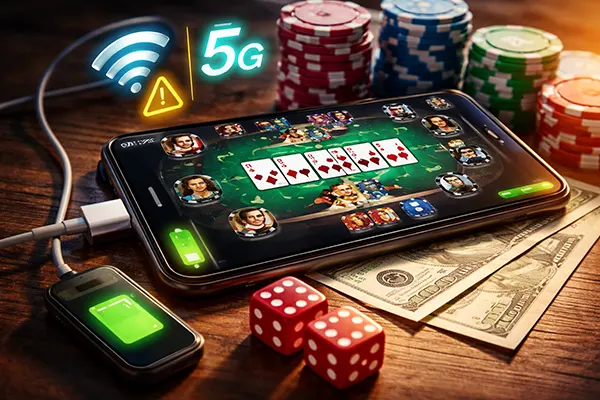
Mobile poker is convenient, but it also adds a new opponent: your phone. A weak signal, a messy Wi-Fi handover, or a battery that drops faster than expected can turn a good decision into a timeout, an accidental fold, or a forced disconnect. In 2026, networks are faster on average, yet they’re also more complex—5G and Wi-Fi calling, mesh routers, aggressive power saving, background restrictions, and frequent security updates all affect how stable your session really is.
Connection risk: why “full bars” can still lose you a hand
The biggest technical losses usually come from short interruptions rather than long outages. A two-second drop at the wrong moment can freeze the table, delay your action, and make the app think you didn’t respond. The classic triggers are network handovers (Wi-Fi to mobile data, 5G to 4G, switching towers on a train), roaming transitions, and congested public hotspots where latency spikes even when speed tests look fine.
What matters for poker is not headline bandwidth but stability: latency, jitter, and packet loss. A stable 20–60 ms connection often plays better than a “fast” connection that jumps between 30 ms and 300 ms. If your app supports it, watch for indicators like reconnect attempts, spinning “sync” icons, or repeated “waiting for server” messages—those are early warnings that the next big pot might be decided by your network, not your reads.
Public Wi-Fi is a double risk: performance and security. Captive portals, overloaded access points, and traffic shaping can cause micro-disconnects, while insecure networks raise the chance of session hijacking if you’re careless. Even if your poker account uses strong authentication, the immediate practical issue is still timeouts—so treat public Wi-Fi as “best effort,” not as the foundation for long sessions.
Quick stability checks and settings that actually help
Before you open a table, run a 30–60 second “sanity check” with a simple ping/latency test app or by loading a few stable sites quickly without retries. Then pick one connection path and stick to it: either solid Wi-Fi or solid mobile data. Constant switching is where many losses happen, especially when the phone tries to be helpful and jumps networks in the background.
On iOS, features such as Wi-Fi Assist can move you to mobile data when Wi-Fi is weak; on Android, similar adaptive connectivity options may do the same depending on the device. These tools are useful for browsing, but in poker they can create brief stalls right as you act. If you play serious sessions, consider turning off such “assist” features during play, and avoid VPN switching mid-session unless your connection requires it for stability.
At home, prefer 5 GHz or Wi-Fi 6/6E where available, and keep your router firmware updated. If your router offers Quality of Service (QoS), prioritise real-time traffic or the device you’re playing on. If you must use a hotspot, keep the hotspot phone plugged in, place both devices close together, and avoid heavy background uploads (cloud photo sync is a common silent killer).
Battery risk: how power saving quietly breaks poker sessions
Battery drain is more than an inconvenience. Low battery can trigger sudden screen dimming, CPU throttling, network radio power reduction, or aggressive background limits—exactly the changes that create lag and disconnects. Some phones also protect the battery by limiting performance when they heat up, which can look like “app slowdown” rather than a clear warning.
Low Power Mode (iOS) and Battery Saver (Android) are designed for general use, not for real-time decision apps. They may pause background refresh, reduce network activity, restrict push notifications, and shorten the window the app can stay active when you multitask. If you switch away to read a message or check odds, the app may reconnect slower when you return—sometimes too slow for the next decision.
Charging while playing has its own pitfalls. Cheap cables, unstable chargers, and worn ports can cause “charging on/off” cycles that create heat, dim the screen, and lead to unexpected shutdowns. Wireless charging can add extra heat, especially in a warm room or under a case, which raises the chance of throttling right when you want the phone responsive.
A simple battery plan that prevents avoidable timeouts
Start sessions at a realistic battery level: as a rule of thumb, aim for 50%+ for short play and 80%+ for longer sessions, especially if you expect video in the lobby or animated tables. If you’re below that, plug in before you sit. It’s easier to prevent a low-battery spiral than to recover from one while you’re already in hands.
Use a reliable charger and cable, and if your device gets hot, reduce the load: lower brightness a notch, remove thick cases, and avoid wireless charging during play. Heat is the silent driver of throttling, and throttling is the silent driver of missed actions. Also consider turning off battery-hungry extras you don’t need for poker at that moment, like Bluetooth scanning or high-accuracy location.
Finally, control the screen behaviour. Set Auto-Lock to a longer interval during sessions, and make sure the poker app is allowed to stay active (avoid strict battery optimisation for that app on Android). The goal is simple: the table should stay visible, responsive, and connected, without the phone deciding to “help” by pausing things behind your back.

Avoiding technical losses: a practical playbook for 2026 sessions
Technical losses usually happen in patterns, which means you can reduce them with routines. The first routine is “prepare the session”: update the app and OS outside of play time, reboot the phone if it’s been running for days, close heavy apps, and disable automatic downloads that might start in the middle of a tournament. Background activity is not just about data use—it competes for CPU, memory, and network scheduling.
The second routine is “protect the decision moment.” When action is on you, you want zero distractions that pull the app to the background: calls, video pop-ups, and notification overlays can steal focus or trigger short freezes. Use Do Not Disturb / Focus mode, and if your phone supports it, keep critical notifications (like security alerts) but silence everything else. Mis-taps matter too—smaller screens and gesture navigation make it easier to hit the wrong button under time pressure.
The third routine is “plan for failure.” Even with good preparation, you can still get a drop. What matters is how quickly you recover without making it worse. Panic toggling settings, switching VPNs, and rapidly hopping between Wi-Fi and mobile data can extend the outage. Treat reconnection like troubleshooting: one change at a time, and only when needed.
What to do when you lag or disconnect mid-hand
If you notice lag, stop any extra actions immediately: don’t open cashier pages, don’t switch tables, and don’t rotate the phone repeatedly (some devices reload parts of the interface). First, wait a moment to see if the app resynchronises. Many short stalls resolve faster if you let the connection settle rather than forcing a network change every two seconds.
If you do disconnect, pick the fastest stable path back. If you were on weak Wi-Fi, switching to mobile data can help, but do it deliberately: turn off Wi-Fi, wait a couple of seconds, then reopen the app if it doesn’t recover. If mobile data is weak, switch to a known-good Wi-Fi network and stay there. Avoid airplane-mode toggling unless you’re sure the radio stack is stuck; it can reset your network but it can also cost precious time.
After the hand, capture useful evidence while it’s fresh: timestamp, location, network type, and what exactly happened (freeze, reconnect loop, missed action). This is not just for support; it helps you identify your own weak spots, like a particular train route, a specific café hotspot, or a charger that overheats your phone. Over time you’ll learn which situations are safe for casual play and which ones are too unstable for meaningful decisions.